

Forum - View topicSmileys wearing off?
|
|
| Author | Message | ||
|---|---|---|---|
egoist
 Posts: 7762 |
|
||
|
Yes, I know this is completely unimportant, but lately it's been bugging me quite a bit.
                   
Out of them, the ones that seem incomplete are
Here's a screenshot of how they appear in my screen. 
And now that I clicked on the preview button they seem to have lost the bottom(all of them). 
That only happens while using Firefox. With IE they seem perfectly fine. Then again, nothing really important, but if it comes down to IE with round smileys, or Firefox with mutant smileys, I'll stick with my Firefox. Just wondering, perhaps it's nothing time consuming to actually fix it. |
|||
|
|||
|
Shiroi Hane
Encyclopedia Editor
 Posts: 7595 Location: Wales |
|
||
|
I have the latest release of Firefox 3.6 and they look fine:
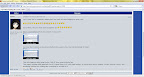
Have you tried running Firefox in safe mode to make sure it isn't a plugin causing it? Have you overridden the default font settings? |
|||
|
|||
|
egoist
Posts: 7762 |
|
||
Should have thought about that one. The font I use is smaller than the regular, and that resulted in mutated smileys. Oh, everything looks bigger now... I'm dizzy. Didn't notice it, but congratz on becoming an encyclopedia editor Shiroi Hane.
|
|||
|
|||


 |
All times are GMT - 5 Hours |
|
|
|
Powered by phpBB © 2001, 2005 phpBB Group